How to post your app on TikTok every day without filming
Updated · 6 min read
This is the system we use at Off Camera, from our own accounts and the hundreds of viral app reels we studied. Keep it open the next time you sit down to post.
No face, no filming and no editing skills: four kinds of posts, a recipe for each, and a plan for your first week.
The 4 posts that work without your face
| Post | What it is | Best for |
|---|---|---|
| Slideshow | 5 to 7 photos with one short line each | Tips people save. "5 ways to stop hitting snooze" |
| Meme | One relatable line over a famous reaction clip | Shares. "me when my 6am alarm goes off" |
| Wall of text | A short story on screen over a calm video | Comments. "i built this because..." |
| Reaction + app demo | Someone reacts, then the app does the thing | Showing the app without a pitch |
Post a mix. Slideshows get saves, memes get shares, walls get comments. You need all three.


The recipe for each one
Slideshow
- Cover: the pain in plain words. "5 ways to stop [the pain]"
- 4 to 6 tips, one short line each, something they can do today
- Real everyday photos, never stock
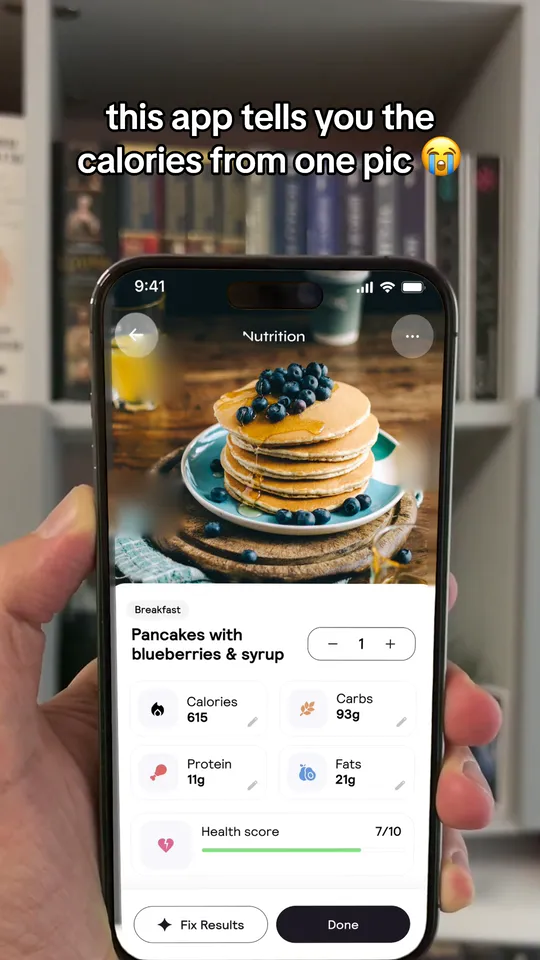
- Last slide: your app's real screen on a phone, one line about what it does
- The caption ends with "(fyi: i made [app])"
Meme
- One line about a moment everyone knows: "me when [the moment]"
- The reaction clip has to answer the line. If you have to explain it, swap the clip
- Words in a white bar on top, 5 to 8 seconds, and let the clip's own sound play
Wall of text
- 30 to 60 words, said like you're telling a friend
- A small story that ends with your app's name
- Over a calm selfie video. The words finish before the video does
Reaction + app demo
- 3 to 4 seconds of a real reaction, with the hook on screen
- Then every step of the app in quick cuts, one line each
- Put the best moment on the song's drop
- End with an ask: comment a word and you'll send something
Pick the topic before the hook
Most people fix the hook. The topic matters more.
Our proof: same app demo, same editing, different topic.
- "UGC creators, are we cooked?" got 1,290 views, 21 saves and 12 shares on Instagram.
- Our other reels that week got 120 to 320 views and almost no saves.
How to find topics that work:
- Read the comments under the biggest videos in your niche. Copy the questions people keep asking.
- Use "is my job safe?" topics: "[job], are we cooked?"
- Write about the moment right before someone needs your app, not about the app.
Hook bank: 6 angles that keep winning
From the most-viewed viral reaction and app reels we studied:
been doing [the hard thing] for a YEAR and NOW i find this?? 😭
Years, JUST found this. The one that won most often.
my app launches in 5 HOURS and I just found THIS??
Deadline, then found it. The highest average views.
I could LITERALLY KISS whoever showed me this
I could kiss whoever showed me this. Big relief, said as a joke.
POV: the productivity tiktokers were right
The ___ tiktokers were right. Swap in your niche.
[job], are we cooked? 🤯
Are we cooked? The "is my job safe?" topic as a first line.
be honest, which one did you do this week 💀
Be honest. A question people answer in the comments.
What they all do: 1 or 2 lines, one or two words in CAPS, and a 😭 or 💀.
Captions that don't sound like an ad
- Talk like a friend, lowercase is fine: "the to-do list is winning 😭"
- Put the product last, in brackets: "(fyi: i made [app])"
- 3 to 5 real hashtags. Skip #fyp.
Your first 7 days
Step 1: Days 1 to 7: 2 to 3 posts a day per account
Not more.
Step 2: Every day: one of each
1 slideshow, 1 meme, and 1 wall or reaction.
Step 3: Before posting: scroll your niche for 10 minutes
So the account looks like a real person.
Step 4: After posting: answer every comment
Do it in the first 30 minutes.
Step 5: Week 2: keep what got saves
Keep the topics that got saves, drop the rest, and go up to 3 to 5 a day.
Make a week of posts with one prompt
You can do all of this inside Claude:
Step 1: Open Claude's connectors
Click Customize, then Connectors.
Step 2: Add a custom connector
Click +, pick Add custom connector and name it Off Camera.
Step 3: Paste the link and connect
Paste offcamera.ai/mcp, click Add, then Connect, and sign in to Off Camera.
Step 4: Ask for posts
Try "make 10 reels for my app".
They land in your Off Camera library, ready to post. The Off Camera MCP page has the steps for ChatGPT, Cursor and other apps too.
Is it the topic or the hook?
| What you see | What's wrong | What to change |
|---|---|---|
| Under 200 views | The topic | Try a new topic, keep the format |
| Views, but people leave in 2 seconds | The hook | Same topic, new first line |
| Views, but no saves or shares | No payoff | End on a tip or a joke worth sending |
| Saves, but nobody visits your page | The ask | Say what the app does in the caption |
One video tells you almost nothing. Judge a topic after 5 posts, not 1.
Questions people ask
Can you grow an app on TikTok without showing your face?
Yes. Slideshows, memes, walls of text and reaction + app demo videos all work without your face. What matters most is the topic: our best reel used the same demo as the others, just a better topic.
How many times a day should I post on TikTok?
On a new account, start with 2 to 3 posts a day for the first week, one of each kind. Keep the topics that get saves, then go up to 3 to 5 a day. Our guide on how often to post has the research.
What is a wall of text post?
A short story of 30 to 60 words, written on screen over a calm video like a selfie clip. It reads like a friend telling you something and ends on your app's name.
Should I pick the topic or the hook first?
The topic. A good first line can't save a topic nobody cares about. Find topics in the comments under the biggest videos in your niche, then write the hook.
Can I make these posts from Claude or ChatGPT?
Yes. Add offcamera.ai/mcp as a custom connector, sign in, and ask for posts in your own words. The MCP page has the steps for each app.